How to Protect Your Data in an Increasingly Digital World:
Why Data Protection Matters More Than Ever?
In the modern era, every click, purchase, search, and login generates data. This digital reflection of our lives is incredibly valuable, making the knowledge of how to protect your data not just a technical skill, but a fundamental life skill. Your personal information—from financial records to private messages—is the new currency, sought after by advertisers, corporations, and cybercriminals alike.
Failing to understand how to protect your personal information can lead to devastating consequences: identity theft, financial ruin, reputational damage, and a profound loss of privacy. This guide provides a comprehensive, actionable roadmap to help you secure your digital identity, empowering you to navigate the online world with confidence and control.
Table of Contents
Understanding the Digital Threat Landscape:
To effectively learn how to protect your data, you must first understand what you’re protecting it from. The threat landscape is vast and constantly evolving.
Common Threats Include:
- Data Breaches: Large-scale hacks of company databases exposing millions of emails and passwords.
- Phishing & Social Engineering: Deceptive attempts to trick you into surrendering information.
- Malware & Ransomware: Malicious software that steals data or locks your files for ransom.
- Identity Theft: Using your personal information to commit fraud or open accounts.
- Unsecured Public Wi-Fi: Networks that allow eavesdroppers to intercept your data.
Graph: The Rising Tide of Data Compromises
text
Year        | Incidents (Global) | Records Exposed (Billions)
-----------------------------------------------------------
2019        | ███ 1,473          | █ 15B
2021        | █████ 1,862        | ███ 40B
2023        | ████████ 3,205     | █████ 52B
2025 (Proj.)| ███████████ 4,100+ | ███████ 60B+
Visual representation of the escalating volume of data breaches, underscoring the critical need for personal vigilance.
What Does “How to Protect Your Data” Really Mean?
How to protect your data is a holistic concept. It doesn’t mean living offline; it means engaging with technology intentionally and defensively. It encompasses:
- Confidentiality: Ensuring only authorized parties can access your information.
- Integrity: Safeguarding data from being altered or corrupted.
- Availability: Ensuring you can access your own data when you need it.
- Control: Managing who can use your data and for what purpose.
Ultimately, how to protect your personal information is about reducing your attack surface and managing risk in a connected world.
How to Protect Your Personal Information Online: Core Principles
Mastering how to protect your personal information begins with adopting a mindset grounded in these core principles:
- The Principle of Least Privilege: Only grant apps and services the absolute minimum permissions they need to function (e.g., does a photo editor need access to your contacts?).
- The Principle of Skepticism: Question unsolicited messages, “too-good-to-be-true” offers, and urgent requests for information.
- The Principle of Diligence: Security is not a one-time task. It requires ongoing maintenance like updating software and reviewing privacy settings.
- The Principle of Minimization: Share the least amount of personal data necessary. The less data that exists about you online, the less there is to steal.
The True Value of Your Personal Data:
Many ask, “Why would anyone target me?” Your data is valuable in several ways:
- To Cybercriminals: A full identity profile can sell for hundreds of dollars on the dark web, used for loan fraud, tax scams, or draining bank accounts.
- To Corporations: Your habits, interests, and demographics are packaged and sold for targeted advertising, influencing what you see and buy.
- To You: It represents your privacy, autonomy, and security. Once exposed, it is nearly impossible to reclaim.
Understanding this value is the first step in taking how to protect your data seriously.
Password Security: Your First and Strongest Line of Defense
Weak passwords are the leading cause of account compromises. Effective password security is central to how to protect your personal information.
Actionable Password Strategies:
- Use a Password Manager: This is the single most important step. Tools like Bitwarden, 1Password, or KeePass generate, store, and auto-fill complex, unique passwords for every account.
- Create Long, Complex Passphrases: For accounts where you must remember a password, use a random string of words:
Glance-Gradient-Tuna-Bracket!. - Never Reuse Passwords: A breach on one site should not compromise all your accounts.
Table: Weak vs. Strong Passwords
| Weak Password (Vulnerable) | Strong Passphrase (Recommended) | Why It’s Better |
|---|---|---|
password123 | RedPlanet-Orbits-Quickly-42! | Length & unpredictability defeat brute-force attacks. |
janesmith1980 | Tuna#Gradient@Bracket7Glance | No personal info; uses special characters. |
Welcome1 | c0rrect-h0rse-battery-staple (classic example) | Easy to remember, hard to guess. |
Two-Factor/Multi-Factor Authentication (2FA/MFA): The Essential Second Layer
A strong password is Level 1. Two-Factor Authentication (2FA) is the non-negotiable Level 2 in learning how to protect your data. It requires a second piece of evidence to log in.
Types of 2FA/MFA (Best to Good):
- Authenticator App (TOTP): (e.g., Google Authenticator, Authy). Generates time-based codes on your phone. Most secure common method.
- Security Key: (e.g., YubiKey). A physical device you plug in or tap. Gold standard for security.
- Biometric: Fingerprint or facial recognition.
- SMS/Text Code: Better than nothing, but vulnerable to SIM-swapping attacks.
Enable 2FA on every account that offers it, especially email, banking, and social media.
Phishing, Scams, and Social Engineering: Recognizing Digital Deception
Hackers often bypass technology by targeting human psychology. Knowing how to protect your personal information means spotting these tricks.
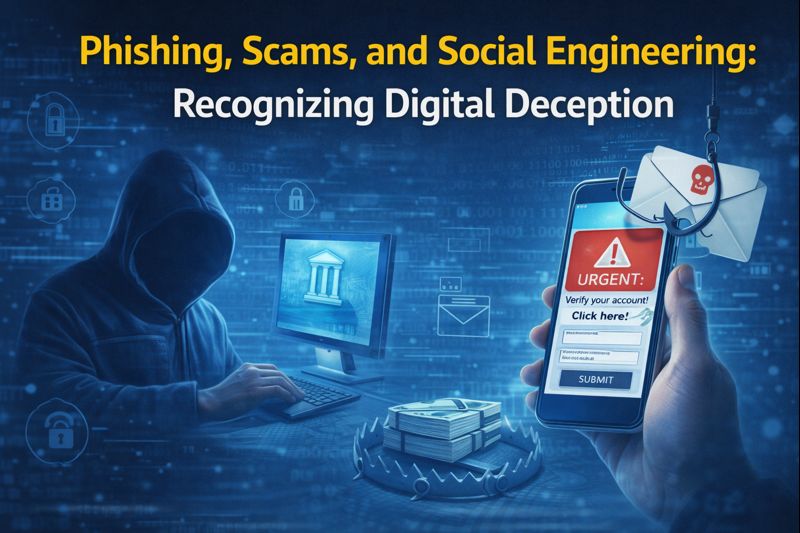
Common Red Flags:
- Urgency & Fear: “Your account will be closed in 24 hours!”
- Too-Good-To-Be-True Offers: “You’ve won a prize! Click here to claim.”
- Spoofed Sender Addresses:
support@amaz0n-security.com(look for misspellings). - Generic Greetings: “Dear valued customer” instead of your name.
- Suspicious Links & Attachments: Hover over links to see the real destination.
Always verify: Contact the company directly through their official website or phone number, not through the link provided in a suspicious email.
Safe Browsing and Internet Hygiene: Navigating the Web Securely
Your browser is a primary gateway for threats. Safe browsing is a key component of how to protect your data.
Essential Practices:
- Look for HTTPS: Ensure the website address begins with
https://(the ‘s’ stands for secure) and has a padlock icon. - Use an Ad-Blocker: Malicious ads (“malvertising”) can infect your device without clicking.
- Be Wary of Downloads: Only download software from official vendor websites.
- Use a Reputable VPN on Public Wi-Fi: A Virtual Private Network encrypts your internet traffic on unsecured networks in cafes, airports, etc.
Mobile Security: Protecting the Computer in Your Pocket
Your smartphone is a treasure trove of data. Mobile security is a critical pillar of how to protect your personal information.
Mobile Defense Checklist:
- Use a Strong PIN/Password (6+ digits) and biometrics (fingerprint/face ID).
- Keep iOS/Android updated immediately when updates are available.
- Download apps only from official stores (Apple App Store, Google Play Store).
- Review app permissions regularly. Revoke access to camera, microphone, location, or contacts for apps that don’t need them.
- Enable “Find My Device” for remote lock and wipe capabilities.
Software Updates and Device Security: Patching the Gaps
Software updates are not just for new features; they are critical security patches. Automating updates simplifies how to protect your data.
Why Updates Are Non-Negotiable:
- Vulnerability Patches: They fix security holes that hackers actively exploit.
- Malware Protection: Updates often include enhanced defenses against new viruses and spyware.
- System Stability: They improve overall performance and compatibility.
Enable automatic updates for your operating system, web browsers, and essential applications.
Managing Your Digital Footprint: Controlling What You Leave Behind
Your digital footprint is the trail of data you create online. Managing it is proactive how to protect your personal information.
Footprint Reduction Strategy:
- Audit Your Accounts: Use services like
JustDelete.meto find and delete old, unused social media and shopping accounts. - Tighten Privacy Settings: On social media, set profiles to “Friends Only” or “Private.” Limit what search engines can index.
- Think Before You Post: Assume anything you share online is permanent and public.
- Use Alternative Information: Where possible, use a secondary email alias or a virtual phone number for non-critical sign-ups.
Backups, Encryption, and Data Recovery: Preparing for the Worst
Even with perfect security, devices can fail or be stolen. A robust backup and encryption plan is the final safety net for how to protect your data.
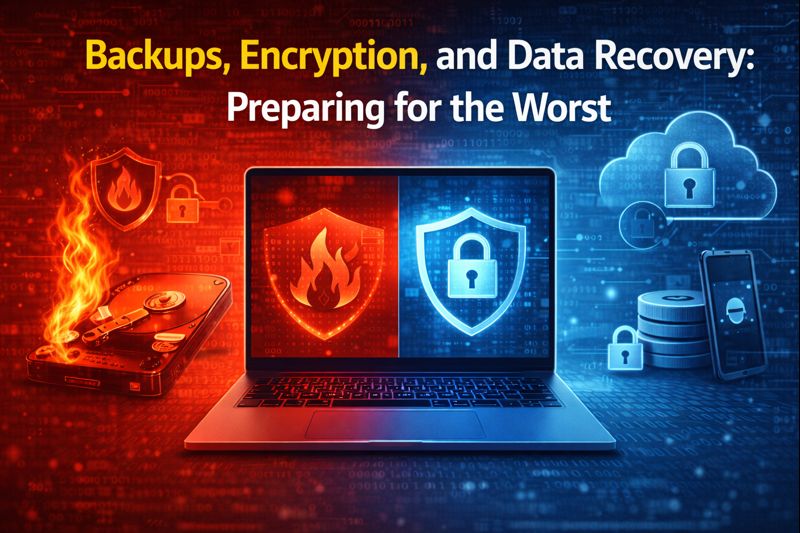
The 3-2-1 Backup Rule:
- 3 Copies of your important data (1 primary, 2 backups).
- 2 Different Media types (e.g., external hard drive + cloud service).
- 1 Offsite Copy (e.g., cloud storage or a drive kept in a different location).
Enable Full-Disk Encryption (FileVault on Mac, BitLocker on Windows) on your devices. This scrambles all data, making it useless if the physical device is stolen.
Digital Minimalism: A Strategic Approach to Data Security
Digital minimalism—owning fewer digital accounts and devices—inherently boosts security by reducing your attack surface. This strategic approach is a powerful, often overlooked, method for how to protect your personal information.
Benefits:
- Fewer Accounts: Less risk from data breaches.
- Reduced Data Sharing: Fewer apps tracking your location and habits.
- Easier Management: Simpler to maintain updates and strong passwords.
Comparison Table: Common Threats vs. Protection Methods
| Threat | Risk Level | How to Protect Your Data Against It |
|---|---|---|
| Phishing / Scams | High | User education, skepticism, 2FA, email filtering. |
| Malware / Ransomware | High | Antivirus software, regular updates, safe browsing, backups. |
| Data Breach (3rd Party) | Medium | Unique passwords, 2FA, password manager, minimal data sharing. |
| Identity Theft | Critical | Credit freezes, account monitoring, data minimization. |
| Public Wi-Fi Snooping | Medium | Use of a reputable VPN, avoiding sensitive transactions. |
| Physical Device Theft | Medium | Strong device passwords, full-disk encryption, remote wipe. |
Cybersecurity Habits for Everyday Life:
How to protect your data must become routine. Integrate these habits:
- Weekly: Check for and install software updates.
- Monthly: Review bank/credit statements for unfamiliar charges.
- Quarterly: Audit app permissions and social media privacy settings.
- Annually: Review your credit report (free at AnnualCreditReport.com).
Frequently Asked Questions (FAQ):
Q1: What is the single most important thing I can do to protect my data?
A: Use a password manager and enable Two-Factor Authentication (2FA) on all important accounts. This combination addresses the vast majority of common attack vectors.
Q2: I’m not tech-savvy. Where do I start learning how to protect my personal information?
A: Start with three steps: 1) Update all your devices and apps. 2) Enable 2FA on your email account. 3) Use your browser’s or device’s built-in password generator for new accounts.
Q3: Are free antivirus programs and VPNs good enough?
A: Reputable free antivirus (like Windows Defender) provides solid baseline protection. Be extremely cautious with free VPNs, as they often make money by logging and selling your data—the opposite of their purpose. Opt for trusted, paid services if you need a VPN.
Q4: Is my data safe in the cloud (Google Drive, iCloud, Dropbox)?
A: Major cloud services are generally very secure. However, your security is only as strong as your password and 2FA. Enable 2FA on your cloud accounts and consider encrypting sensitive files before uploading them.
Q5: What should I do if I think my data has been breached?
A: 1) Change passwords immediately for the affected service and any account that used the same password. 2) Enable 2FA if not already active. 3) Monitor your financial accounts and credit reports. 4) Consider a credit freeze with the major bureaus if financial data was exposed.
Conclusion: Building a Secure Digital Future
Learning how to protect your data is an ongoing process of empowerment, not a state of paranoia. In a world where our digital and physical lives are inextricably linked, the security of your personal information is foundational to your autonomy, finances, and privacy.
Start by implementing one or two strategies from this guide—perhaps mastering passwords and 2FA. Build from there. By adopting a mindset of proactive defense and cultivating smart digital habits, you take control of your narrative online. Your data is your asset. Protect it wisely, share it minimally, and manage it intentionally to build a safer, more secure digital future for yourself.
How to Earn Money Online for Student in 2026 Full Guide
About the Author